![Bluestone_PIM_white_logo_RBB-3.png]](https://help.bluestonepim.com/hs-fs/hubfs/Bluestone_PIM_white_logo_RBB-3.png?height=50&name=Bluestone_PIM_white_logo_RBB-3.png)


- PPE: Unassign assets from products
PPE users can now be granted permission to unassign assets from products directly - eliminating the need for supervisor approval and allowing suppliers to work more autonomously.
Please see How to configure and use the personalized product editor (PPE) for more information.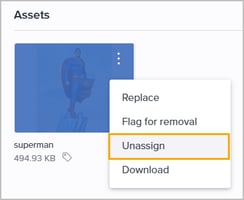
- Views: Quick-edit query conditions
You can now adjust and save conditions for a saved query view directly via its three-dot menu (⋮), provided you have edit access to that view: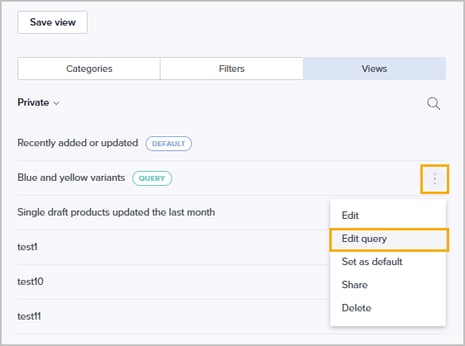
Improvements
- PPE: Name and description during asset upload
PPE users can now enter an asset's name and description directly when uploading it from the PPE. - Views: Improved saved view management
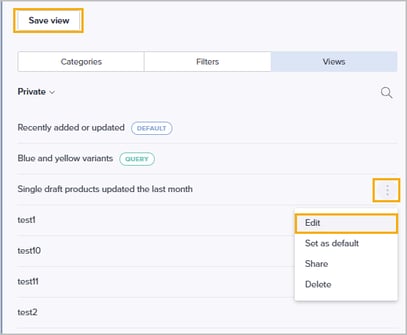
We have separated the workflows for updating existing views and saving new ones:
- New 'Edit' menu option: The three-dot menu (⋮) now features Edit (replacing Rename) to update a view's name, column setup, and sharing settings.
- Dedicated modals for saving: Clicking Save view now opens separate modals for Update and Save as new, eliminating confusion when saving changes:
- Task notifications improvements
We have made several improvements to task notifications so they are more efficient to read - both on the notifications page and in emails. The release also includes a new notification setting that lets you be notified when a task is re-assigned.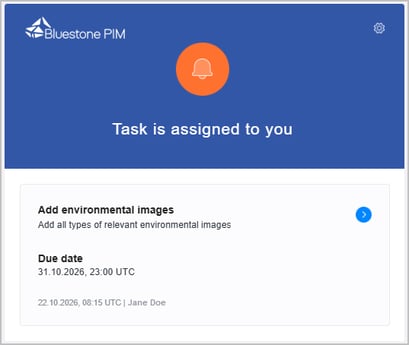
- New MCP Server tools: CLA management
We have added even more tools to the Bluestone PIM MCP Server for working with category level attributes, expanding what your AI assistant can do.
View the full list of available MCP tools! - System monitor: Failed asset attribute updates
Assets that fail to be updated are now listed in the System monitor, making it easier to follow up on them. - Import history: See who started an import
The history event for an import now shows the user who initiated it, including for CSV imports. - Content store: Checkboxes for multi-select filters
Multi-select filters in the Content store now use checkboxes, making it easier to select several values at once.
Fixes
- Query Builder: Status filter pill reflects the applied status
When searching in the Query builder with a Status condition, the filter pill shown in the search bar now updates to reflect the newly applied status. - Product list: Published status filter includes products to be unpublished
The Published status filter again returns products with the status 'To be unpublished' when the product list is served by the query builder. - Product details: Fallback context values in the language tab
Attribute values from the fallback context are now shown in the secondary context when you log in directly to the secondary context, without having to switch contexts first. - Category picker: Expanding subcategories in search results
Subcategories can now be expanded in search results when linking categories to a product. - Import mapping: Searching for attributes
Attributes are now found when searching on the import mapping page, without requiring an exact match of the attribute name. - Excel export: Category column in non-default contexts
The Excel export is no longer empty when you export a product from a context that falls back to another context, the product is linked to a non-translated category, and the export includes the 'Category' column.
Keep track of upcoming releases!
Check out the Bluestone PIM Release Calendar
Want to be notified about new features, improvements, and fixes?
Sign up to receive our Release notes!