
Learn about the different types of completeness requirements.
You must be given explicit permission to manage completeness requirements.
Managed roles having access: System admin and PIM admin.
Added to category Assets with specific label
Associated attributes with values assigned Attribute with value assigned
Attributes in group with values assigned
Images with label have clipping path or transparency
Images with labels have minimum dimensions
Images with label have minimum DPI
Relations of given type
Overview
Completeness requirements help ensure product listings include key information - like brand, model, or storage - improving data quality and reducing the risk of lost sales.
This article explains the different types of completeness requirements and how they’re used.
Manage requirements by selecting Settings | Completeness requirements from the main navigation bar:
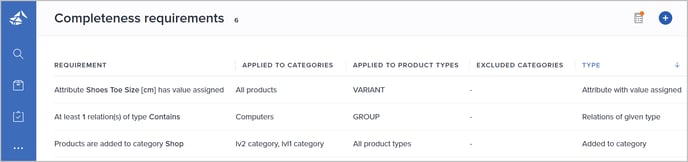
Please see Manage completeness requirements for details on how to create, edit and delete requirements.
Added to category
Use this requirement type when products must be assigned to a specific catalog or category:
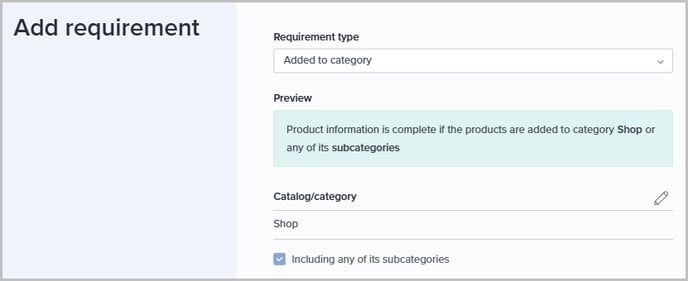
- Click the pencil icon to select the relevant Catalog/category from the catalog structure.
- If the requirement should be fulfilled if the product is added to the selected category or any of its subcategories, select Including any of its subcategories.
Assets with specific label
Use this requirement type when products must have at least the specified number of assets assigned, tagged with the selected label:
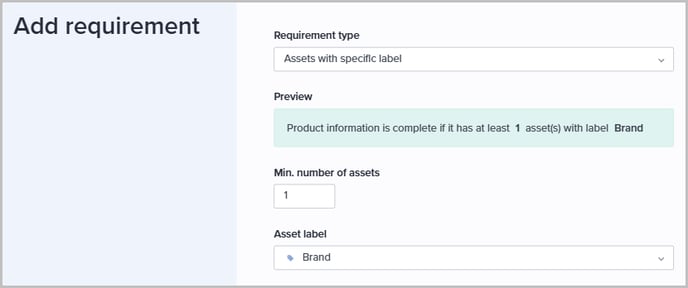
- Specify the Min. number of assets.
- Select the relevant Asset label.
Associated attributes with values assigned
Use this requirement type when products must have values assigned to at least a specified percentage of their associated attributes:

Please note! Compound, matrix, and column attribute types are not taken into account when calculating the completeness scores.
Attribute with value assigned
Use this requirement type when products must have a value assigned to the selected attribute:
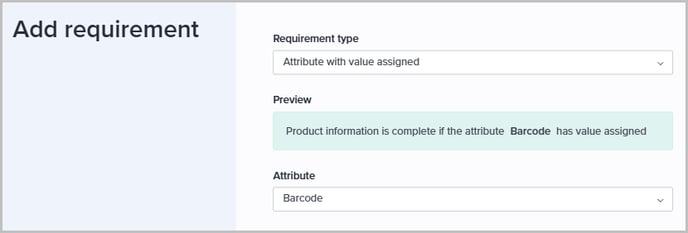
Attributes in group with values assigned
Use this requirement type when products must have values assigned to at least the specified percentage of attributes within the selected attribute group:

- Specify the Min. percentage.
- Select the relevant Attribute group.
Please note! Compound, matrix, and column attribute types are not taken into account when calculating the completeness scores.
Images with label have clipping path or transparency
Use this requirement type when products have an image tagged with the selected asset label, and that image must have either a clipping path or transparency applied:
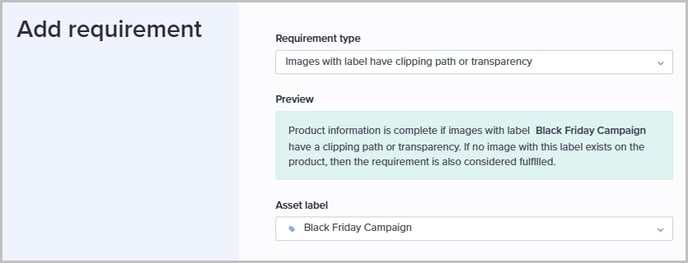
Select the relevant Asset label.
Images with label have minimum dimensions
Use this requirement type when products have an image tagged with the selected asset label, and that image must have at least the specified width and height:

- Select the relevant Asset label.
- Specify the Min. width and Min. height in pixels.
Use this requirement type when products have an image tagged with the selected asset label, and that image must have at least the specified density:
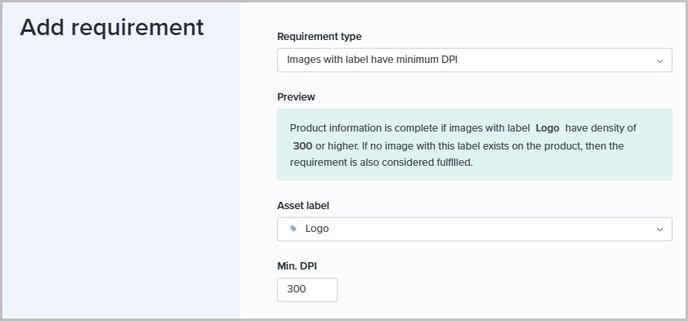
- Select the relevant Asset label.
- Specify the Min. DPI.
Relations of given type
Use this requirement type when products must have at least the specified number of relations of the selected relation type:
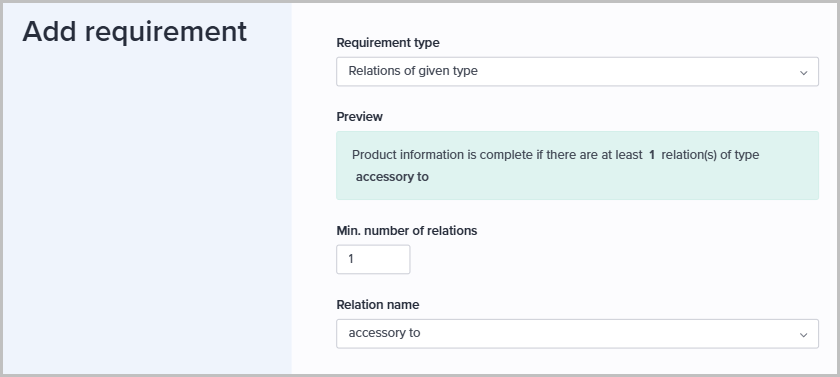
- Specify the Min. number of relations.
- Select the relevant Relation name.